
Author once
Start with SOPs, videos, prompts, or expert notes.
Multilingual Voice & Subtitles shows how multilingual voice & subtitles works in MeVn.ai. Use 60+ TTS languages, regional voices, subtitles, and translated scripts. It explains the problem, the product workflow, and the readiness evidence leaders can use for action.
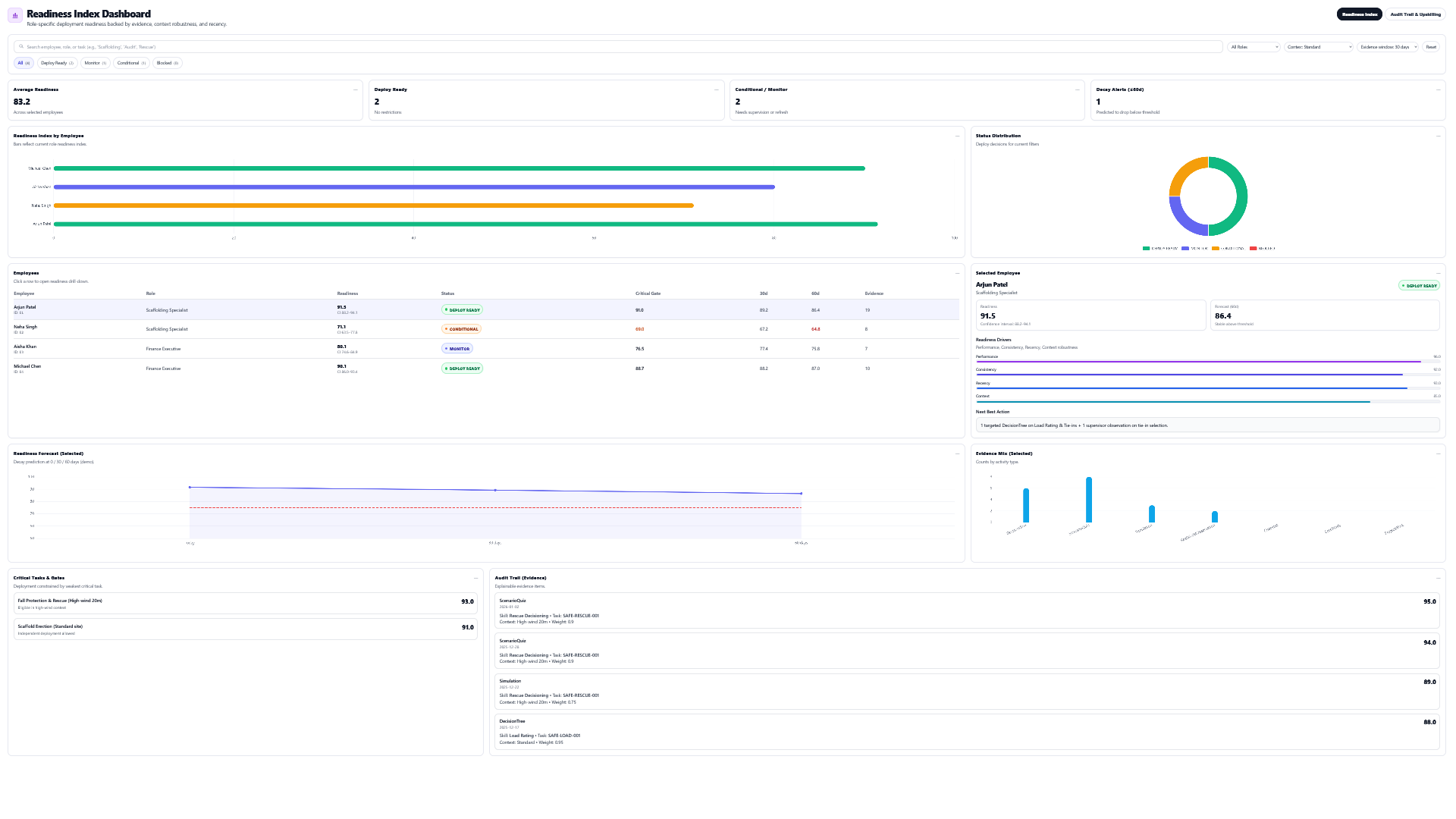
MeVn.ai helps teams create lessons, voice, subtitles, practice activities, readiness scores, and audit trails across languages.
See pricing optionsStart with SOPs, videos, prompts, or expert notes.
Create translated content, subtitles, and voice for global teams.
Use role-play, checks, scenarios, and simulations in the learner's language.
Keep evidence tied to readiness, context, and audit trails.
Most training tools stop after content is created. MeVn.ai connects content to practice and practice to evidence. For multilingual voice & subtitles, the goal is to help teams see what workers can do, where gaps remain, and what action should happen next.
The workflow stays clear for buyers, authors, reviewers, and leaders.
Start with a prompt, SOP, video, PDF, or expert note.
Choose activities that match the skill.
Capture proof from the work people do.
Use readiness gaps to guide support.
Use 60+ TTS languages, regional voices, subtitles, and translated scripts.
MeVn.ai connects practice activity, evidence, audit trail, and readiness scoring. Leaders can see who is ready, who needs monitoring, and where practice should happen next.
Plain-language answers about how MeVn.ai turns training into readiness proof.
Multilingual Voice & Subtitles explains how MeVn.ai supports multilingual TTS and subtitles with authoring, practice, evidence, and readiness scoring.
MeVn.ai connects authoring, practice, evidence, and readiness scoring in one studio.
Review the related pages or book a demo to see the workflow.
Useful next steps for understanding the platform, readiness score, and production workflow.
Bring one SOP, policy, video, or training challenge. MeVn.ai can show how it becomes lessons, practice, evidence, and readiness insight.